Free Image Cropping Tool – Crop Images Online Instantly for Any PlatIn a world where visuals decide clicks, likes, and conversions, having the right image size matters more than ever. Whether you’re posting on social media, uploading a YouTube thumbnail, or preparing images for a website, cropping images correctly can make all the difference. That’s exactly why our free image cropping tool is built — fast, simple, and powerful, right inside your browser.form
Why Use an Online Image Cropper?
Traditional image editing software can be slow, expensive, and overwhelming. Our online image cropper removes all that friction. There’s no software to install, no account required, and no watermarks. You simply upload your image, choose a size, crop it visually, and download the final result in seconds.
This tool is designed for creators who want speed without sacrificing accuracy.
Built for Social Media, YouTube, and More
One of the biggest challenges with images is getting the dimensions right. Our image cropper includes ready-made templates for the most popular platforms, so you don’t have to guess sizes or worry about stretching.
- You can instantly crop images for:
- Instagram posts and stories
- Facebook posts and covers
- Twitter/X posts and headers
- LinkedIn posts
- YouTube thumbnails
- Pinterest pins
Each template automatically maintains the correct aspect ratio, so your images look clean and professional everywhere.
Real-Time Crop Preview (What You See Is What You Get)
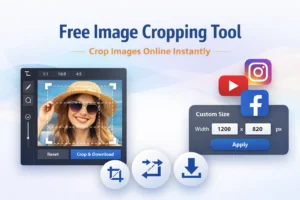
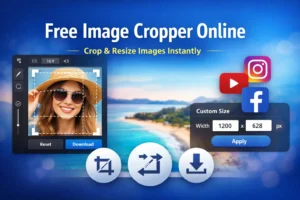
Unlike basic tools, this image cropper shows you a live preview while you adjust the crop area. As you drag or resize the selection box, the preview updates instantly. This means:
- No trial and error
- No repeated downloads
- No surprises after cropping
- You always know exactly how your final image will look before downloading it.
Full Control with Drag & Resize
- Our cropping system is fully interactive. You can:
- Drag the crop box anywhere on the image
- Resize from corners or edges
- Lock the aspect ratio automatically based on your selected template
This makes it perfect for both beginners and advanced users who want precise control without complexity.
Custom Image Sizes for Any Project
If presets don’t fit your needs, you can switch to Custom Size mode and enter your own width and height in pixels. This is ideal for:
- Website banners
- Blog featured images
- Ads and marketing creatives
- App or UI design assets
Once applied, the tool adjusts the crop area to match your custom dimensions instantly.
Fast, Private, and 100% Browser-Based
- Your images are processed entirely in your browser. Nothing is uploaded to a server, which means:
- Better privacy
- Faster performance
- No data storage or tracking
- As soon as you crop your image, you can download it instantly in high quality.
Who Is This Tool For?
- This free image cropping tool is perfect for:
- Content creators and YouTubers
- Social media managers
- Bloggers and website owners
- Designers who need quick crops
- Students and everyday users
If you work with images online, this tool saves time and keeps your workflow smooth.
Simple, Free, and Powerful
Our goal is simple: make image cropping effortless. No learning curve, no hidden costs, and no unnecessary features. Just upload, crop, preview, and download.
If you’re looking for a free image cropper online that actually feels modern, responsive, and easy to use — you’re in the right place.
Start cropping your images now — no downloads, no sign-ups, just fast and accurate results. Upload your image and see the difference instantly.