
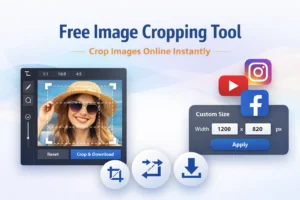
Images are everywhere — from social media posts to websites, blogs, and video thumbnails. But uploading the wrong image size can ruin quality, distort visuals, or reduce engagement. That’s why using a Free Image Cropping Tool is essential for anyone who works with images online.
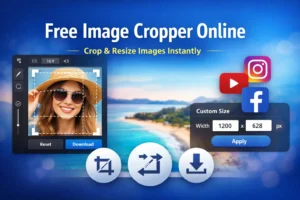
Our tool helps you crop, resize, and optimize images directly in your browser. No downloads, no sign-ups, and no complicated editing software — just fast, clean results.
Crop Images Online Without Installing Software
Traditional image editors can be heavy, confusing, and time-consuming. This free image cropping tool is designed to be simple and accessible. You upload your image, choose the crop size, adjust visually, and download instantly.
- Everything happens inside your browser, which means:
- No software installation
- Faster performance
- Better privacy
- Works on desktop and mobile
Built-In Templates for Social Media & Platforms
One of the biggest challenges with images is getting the correct dimensions. This tool includes ready-made templates so your images always fit perfectly.
You can crop images for:
- Instagram posts and stories
- Facebook posts and covers
- Twitter (X) posts and headers
- LinkedIn posts
- YouTube thumbnails
- Pinterest pins
Each template automatically maintains the correct aspect ratio, saving time and preventing distortion.
Live Preview While Cropping
Unlike basic image tools, this image cropper shows a real-time preview of your final image. As you move or resize the crop box, the preview updates instantly. This allows you to see exactly how the image will look before downloading.
No guesswork. No repeated edits.
Full Control With Drag & Resize
You can easily drag the crop box across the image and resize it from any corner or edge. The tool keeps the selected aspect ratio locked, ensuring accurate cropping every time.
This balance of control and simplicity makes the tool perfect for both beginners and professionals.
Custom Image Sizes for Any Use Case
Need a specific size for a website banner, blog featured image, or ad creative? Simply switch to Custom Size, enter your width and height in pixels, and crop accordingly.
This flexibility makes the tool useful for:
- Website design
- Blog images
- Marketing creatives
- App UI assets
High Quality & Privacy Friendly
Your image quality is preserved during cropping, ensuring sharp and clear results. Since all processing happens locally in your browser, your images are never uploaded to any server.
This keeps your files private and secure.
Who Is This Tool For?
This free image cropping tool is ideal for:
- Content creators
- YouTubers
- Bloggers
- Social media managers
- Designers
- Students and everyday users
If you need quick, accurate image cropping without complexity, this tool is built for you
Simple, Free, and Effective
No accounts. No watermarks. No hidden limits.
Just upload, crop, preview, and download.
If you’re looking for a free image cropping tool that is fast, modern, and easy to use, this is the right solution.
Start cropping your images now and make every visual fit perfectly ✂️📸
One Response
Philwin seems pretty legit, so far so good! Interface is smooth and easy to navigate. Check philwin out for yourself.